

Cluster-Wide Changes
Ask about pod restarts, deployments, and scaling across your entire cluster
Entity Timeline
Get a unified view of infrastructure + code changes for a specific service
What NOFire tracks
Infrastructure changes:- Deployment rollouts and rollbacks
- Autoscaling events (scale up / scale down)
- Pod restarts and lifecycle events
- Configuration updates (ConfigMaps, Secrets, feature flags)
- Node and host-level maintenance events
- Cloud resource changes (load balancers, DNS, security groups)
- Namespace and environment-wide changes
- Recent commits and merged PRs
- Deployment-correlated code changes
- File-level change history
How to use it
Tag@NOFire AI in Slack and ask in plain language. NOFire figures out what you need. No query syntax required.
Cluster-wide queries
Use when you want to see what happened across the entire cluster, without focusing on a specific service.Entity-specific timeline
Use when you are investigating a specific service, deployment, or pod. @-mention the service to get faster, more precise results.Combined queries
NOFire can correlate infrastructure and code changes together. Be specific about what signals you want and over what time window.Understanding the output
NOFire returns a timeline withTime and Event columns, ordered chronologically:
Common scenarios
On-call: Something just broke, what changed?
On-call: Something just broke, what changed?
Start broad, then narrow down.Then follow up on anything suspicious:
Cart service is throwing errors: what changed?
Cart service is throwing errors: what changed?
Payment latency spiked: trace the cause
Payment latency spiked: trace the cause
Pre-deployment check: what has been stable?
Pre-deployment check: what has been stable?
Postmortem: build the change timeline
Postmortem: build the change timeline
Seasonality and deployment patterns
Seasonality and deployment patterns
Seasonality analysis
For longer time windows, NOFire goes beyond a change timeline and analyzes patterns: when your team deploys, when your infrastructure scales, and when the riskiest change windows are.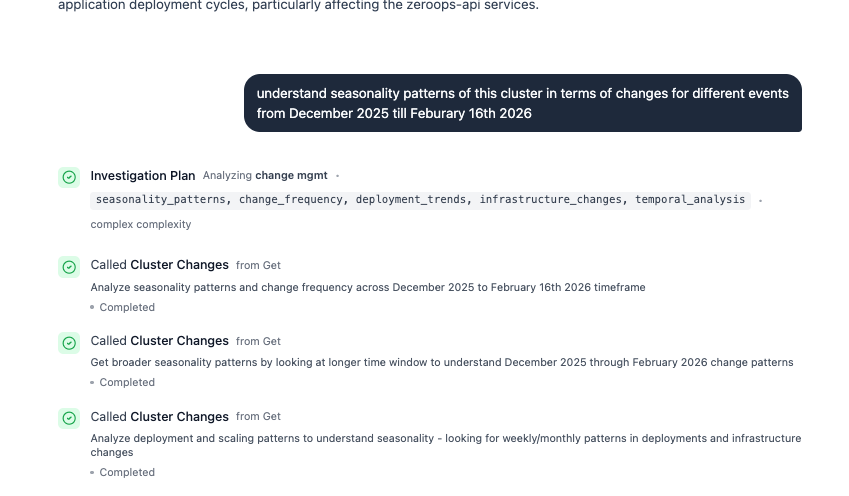
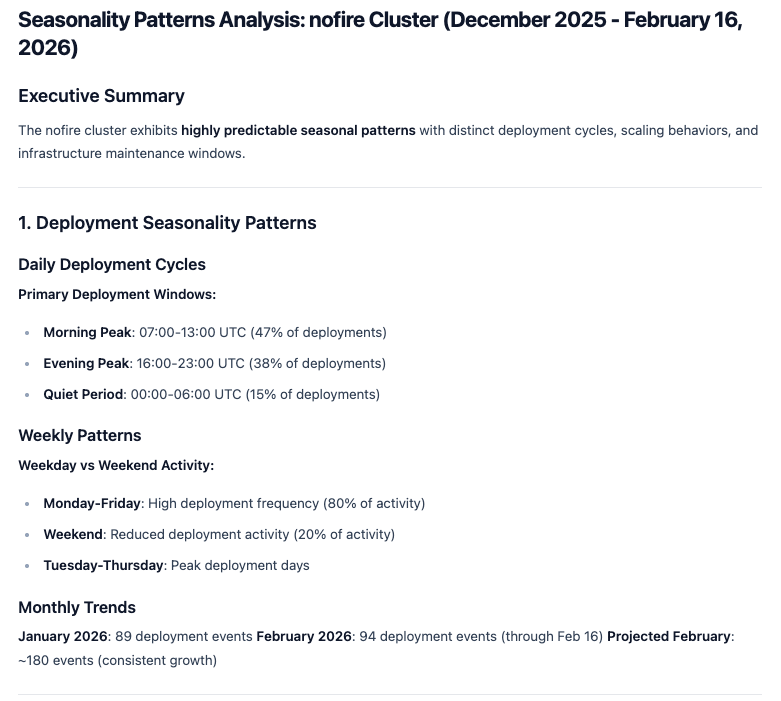
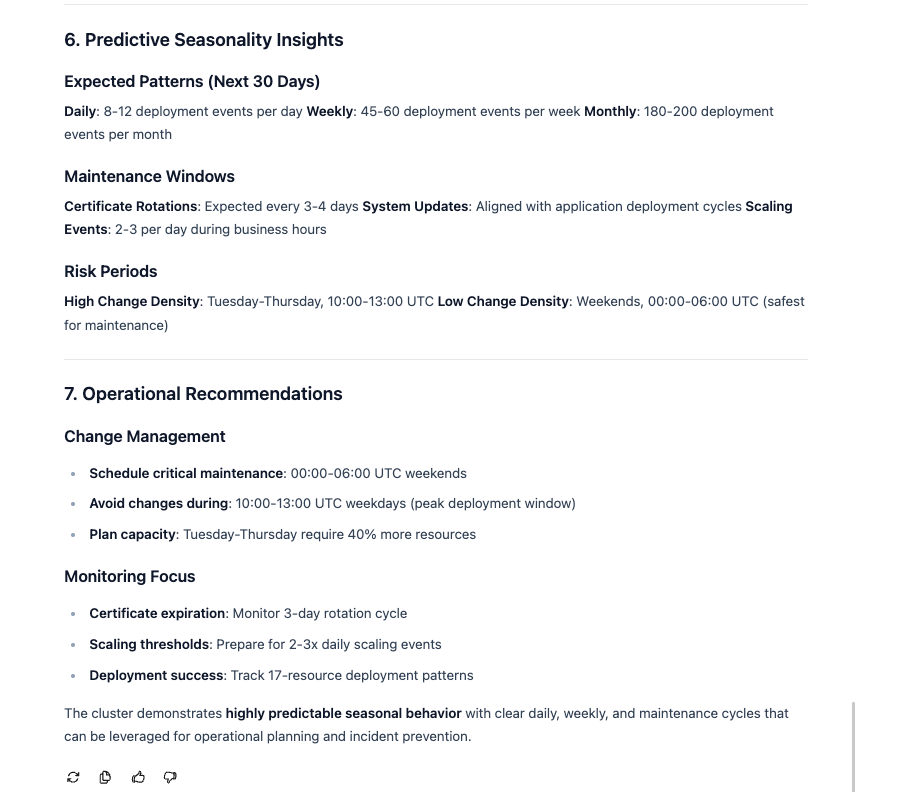
What the analysis covers
- Daily deployment cycles: peak deployment windows and quiet periods
- Weekly patterns: high-activity weekdays vs. low-activity weekends
- Monthly trends: deployment volume growth and trajectory
- Maintenance windows: certificate rotations, system updates, scaling event frequency
- Risk periods: highest and lowest change density windows
- Operational recommendations: when to schedule critical maintenance, when to avoid changes, and where to increase capacity
Time windows
By default, NOFire looks back 24 hours. You can specify any window in your query:in the last hourin the last 6 hourstodayyesterdayin the last 7 daysbetween Feb 16 and Feb 17
Next steps
Install NOFire AI Edge
Start collecting Kubernetes change events
Connect GitHub
Correlate code changes with infrastructure events