

The connection is read-only. It reads alerts, events, and performance data. This enriches both proactive risk assessment and reactive root cause analysis with database health context.
Prerequisites
Before connecting MongoDB Atlas to NOFire AI, make sure that you have:- An active MongoDB Atlas account
- Admin access to create API keys
Step 1: Create MongoDB Atlas API keys
-
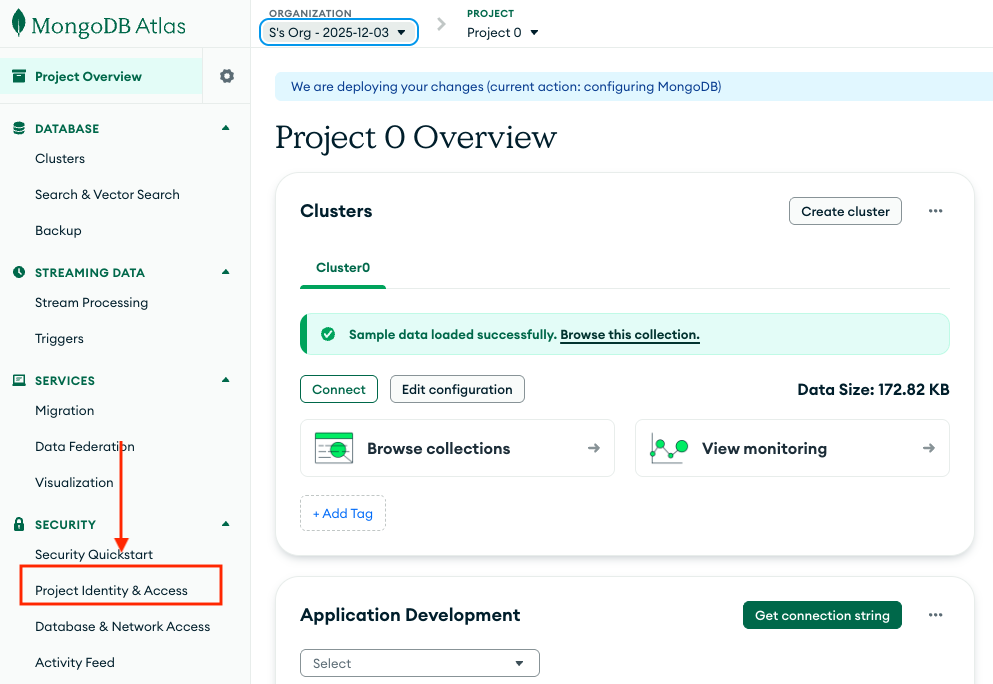
Select Security > Project & Identity Access on your selected Project:
-
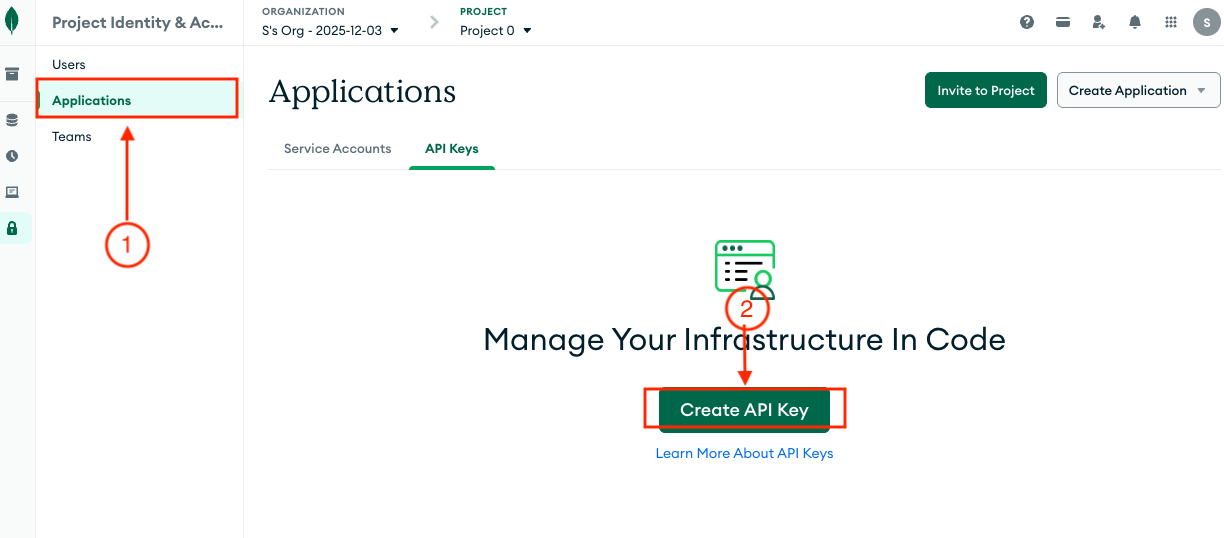
Navigate to Identity Access > Applications: In the left sidebar, click Applications and then Create API key
-
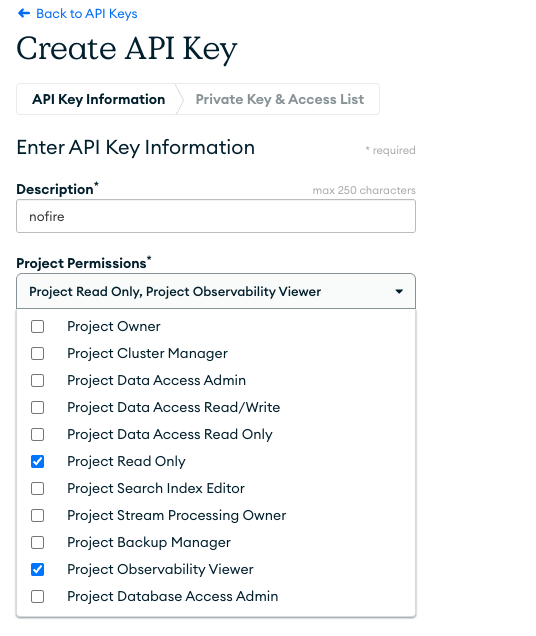
Configure API Key Details:
- Description: Enter a descriptive name like
NOFire AI Read-Only Access - Assign the following permissions:
- Project Read Only - Provides read access to project metadata, alerts, and events
- Project Observability Viewer - Provides access to performance data and query analytics
- Description: Enter a descriptive name like
-
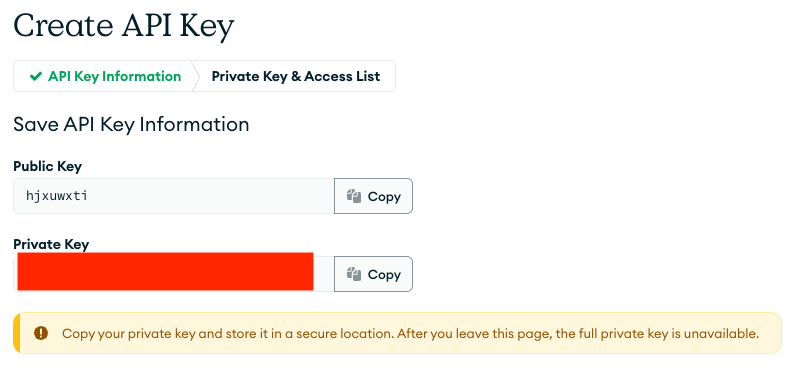
Copy API Key Credentials, Once the API key is created, copy it. You will need this key for the NOFire connection setup.:
Important: The private key will only be shown once!
- Public Key: Copy and save this value
- Private Key: Copy and save this value securely
Step 2: Add MongoDB Atlas connection to NOFire AI
-
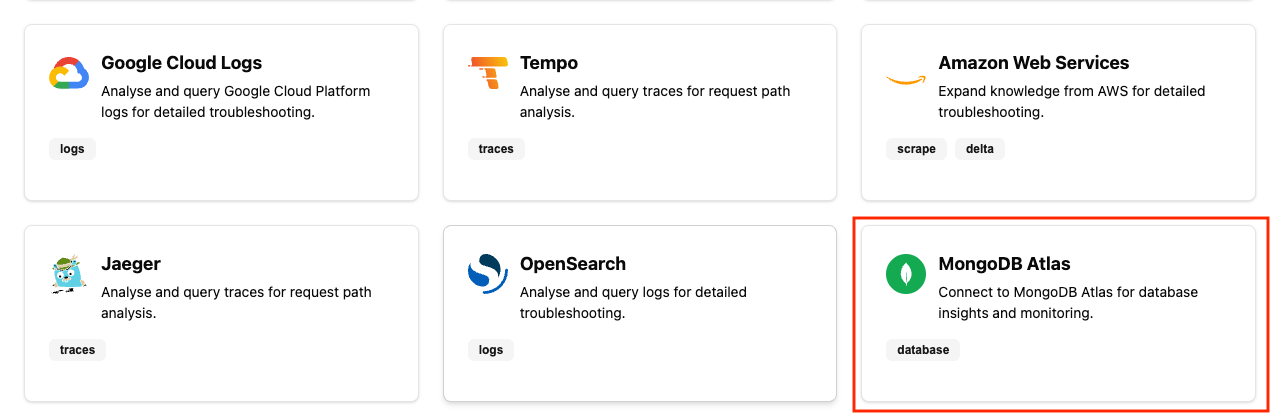
In the NOFire AI dashboard, go to the Connections section and select MongoDB Atlas.
-
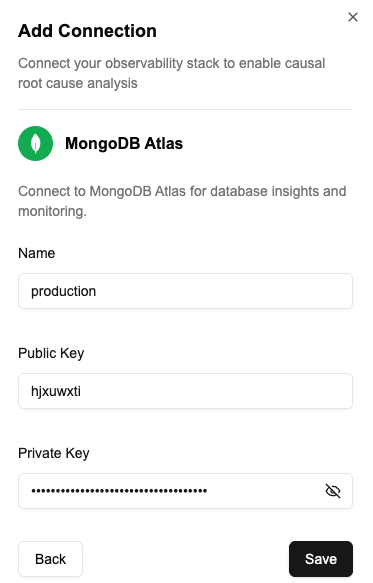
Enter Connection Details:
- Name: Enter a descriptive name (e.g., “production-mongodb”)
- Public Key: Paste the public key from Step 1.8
- Private Key: Paste the private key from Step 1.8
- Pre-deploy: Assess if code changes could impact database performance or trigger alerts
- Runtime: Trace whether database issues are root causes or symptoms of upstream failures
- Learning: Identify patterns in database incidents to prevent repeats
Understanding MongoDB Atlas data in NOFire AI
What NOFire AI Can Access
What NOFire AI Can Access
With the Project Read Only (
GROUP_READ_ONLY) role, NOFire AI can access:1. Project Alerts
- Monitor all active alerts in your MongoDB Atlas project
- Identify threshold breaches and anomalies
- Track alert history and patterns
2. Database Events
- Track significant database activities (deployments, configuration changes)
- Monitor security events
- Detect status changes in your clusters
3. Slow Query Analysis
- Identify performance bottlenecks from slow queries
- Analyze query patterns over the last 24 hours
- Review query execution statistics
4. Process Information
- Monitor MongoDB process health across your project
- Track resource utilization and metrics
- View cluster metric charts
Test the connection
- Open the Connections dashboard and make sure that the MongoDB Atlas connection status is READY. A connection that stays in an error state did not authenticate.
- Ask NOFire a question that needs database context, for example “are there any active alerts on the production MongoDB cluster?”. An answer that names your clusters confirms the connection works end to end.
Troubleshooting
The connection fails to authenticate
The connection fails to authenticate
The public and private keys belong to different API keys, or the private key was truncated when it was copied. Create a new API key and enter both values again.
The connection saves but returns no performance data
The connection saves but returns no performance data
The API key is missing the Project Observability Viewer permission.