

If you run a self-hosted Loki instance, NOFire AI can connect securely using an AWS VPC PrivateLink. This keeps all traffic inside your network boundary. The connection follows AWS security best practices.
Prerequisites
- A Tempo instance that NOFire AI can reach.
- The query endpoint URL of that instance.
Step 1: Set up the Tempo integration
Grafana Cloud (skip for on-prem)
- Sign in to the portal at https://grafana.com/auth/sign-in.
-
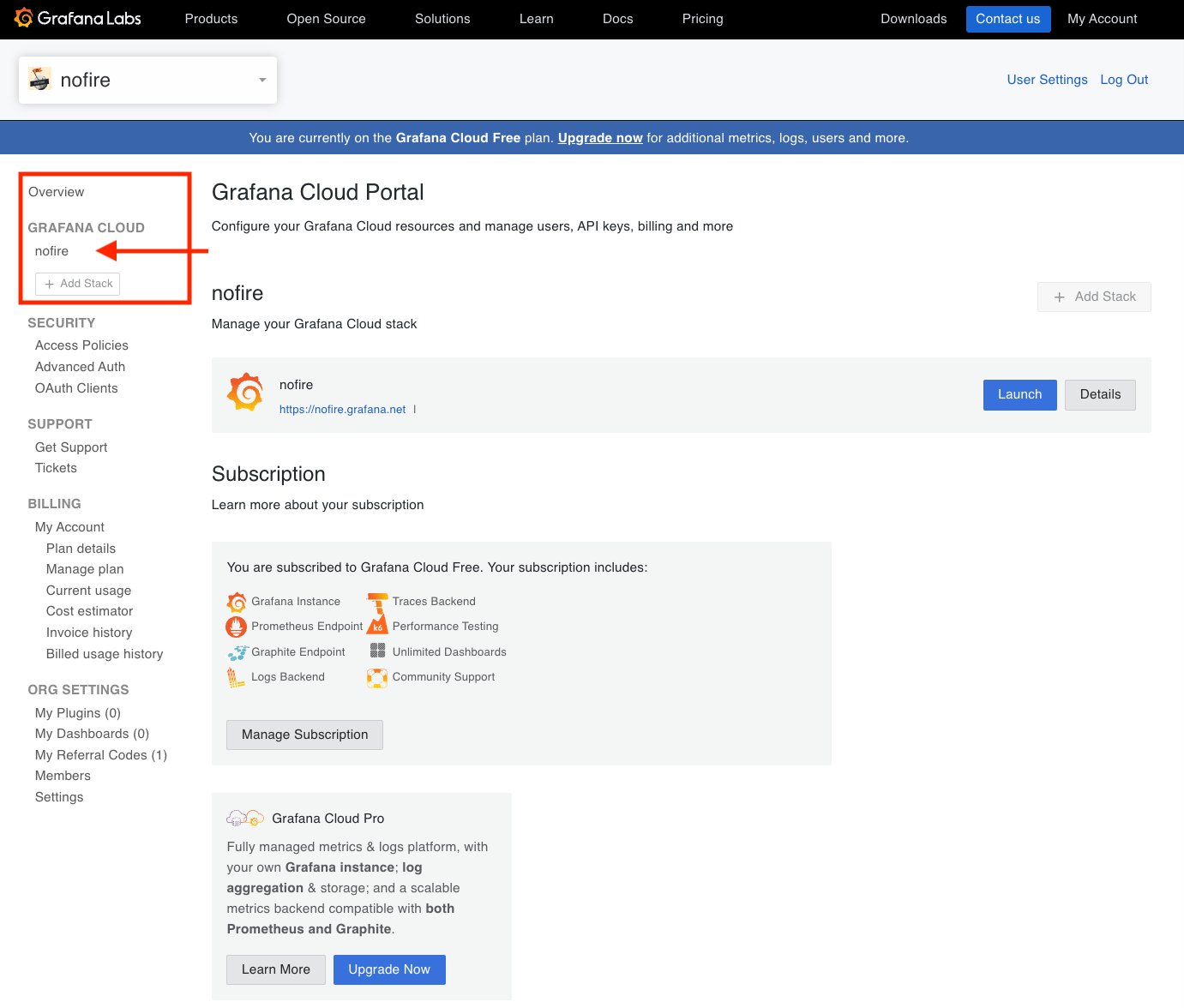
Select your Grafana stack (for example, nofire).
-
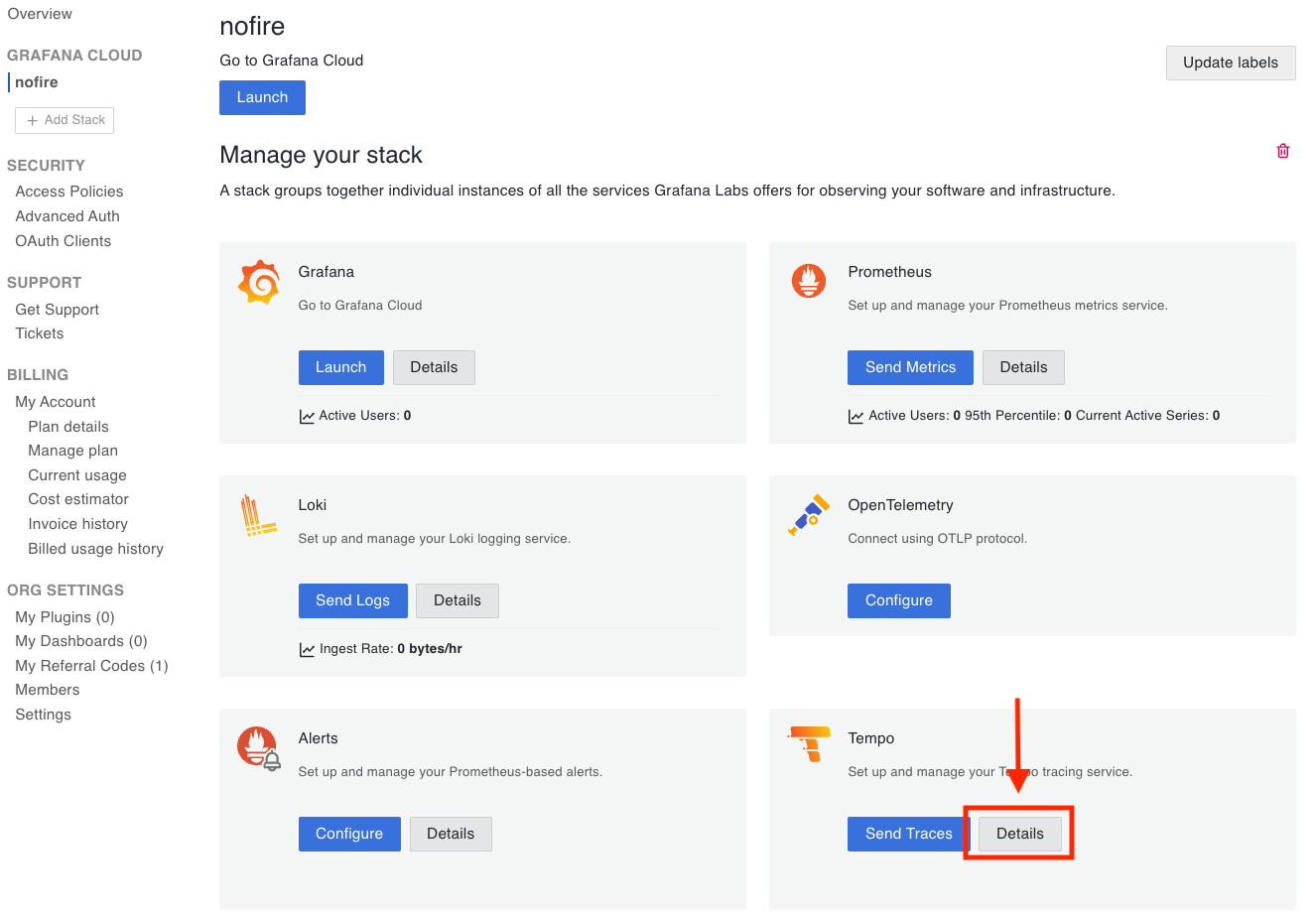
Select Tempo details.
-
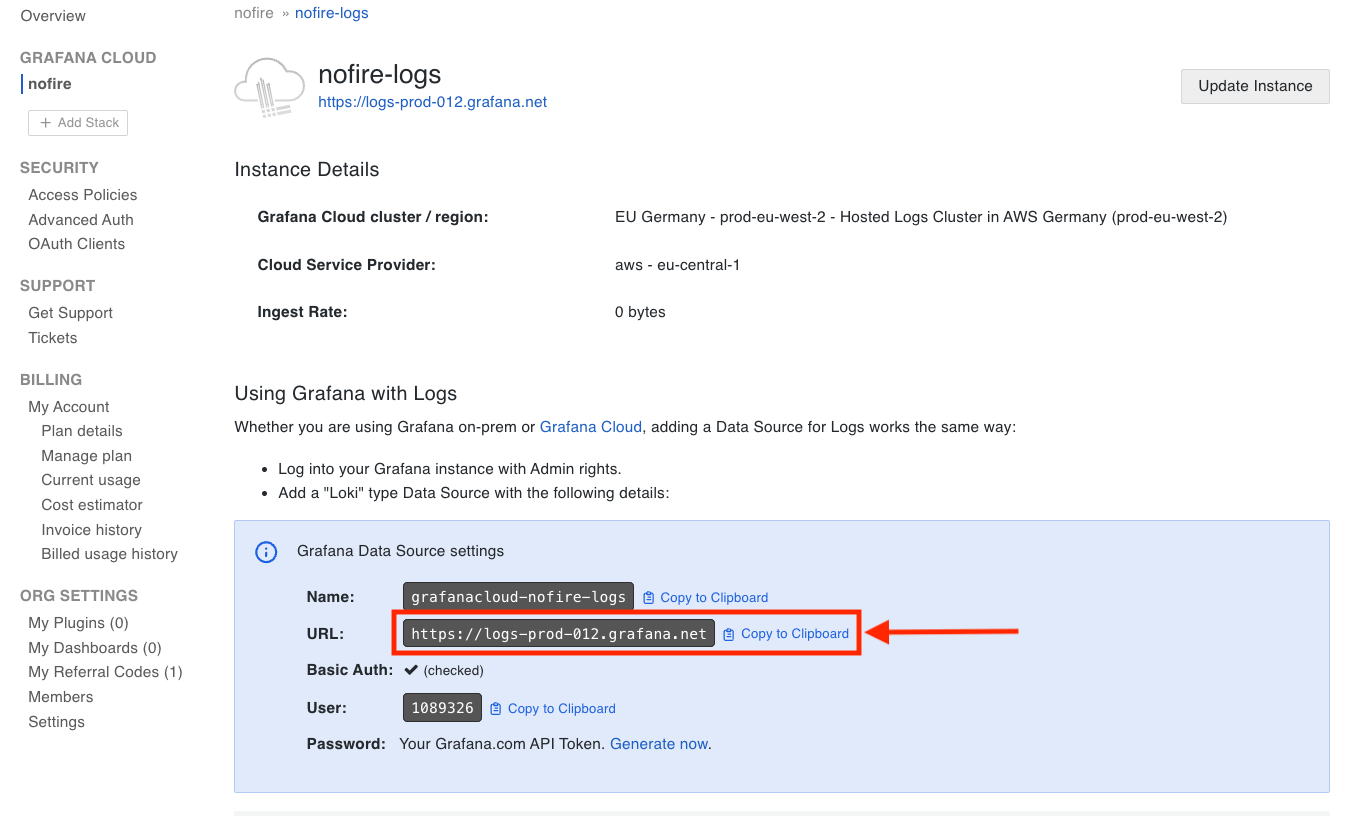
Copy to clipboard: The Query Endpoint and keep it in a note.
-
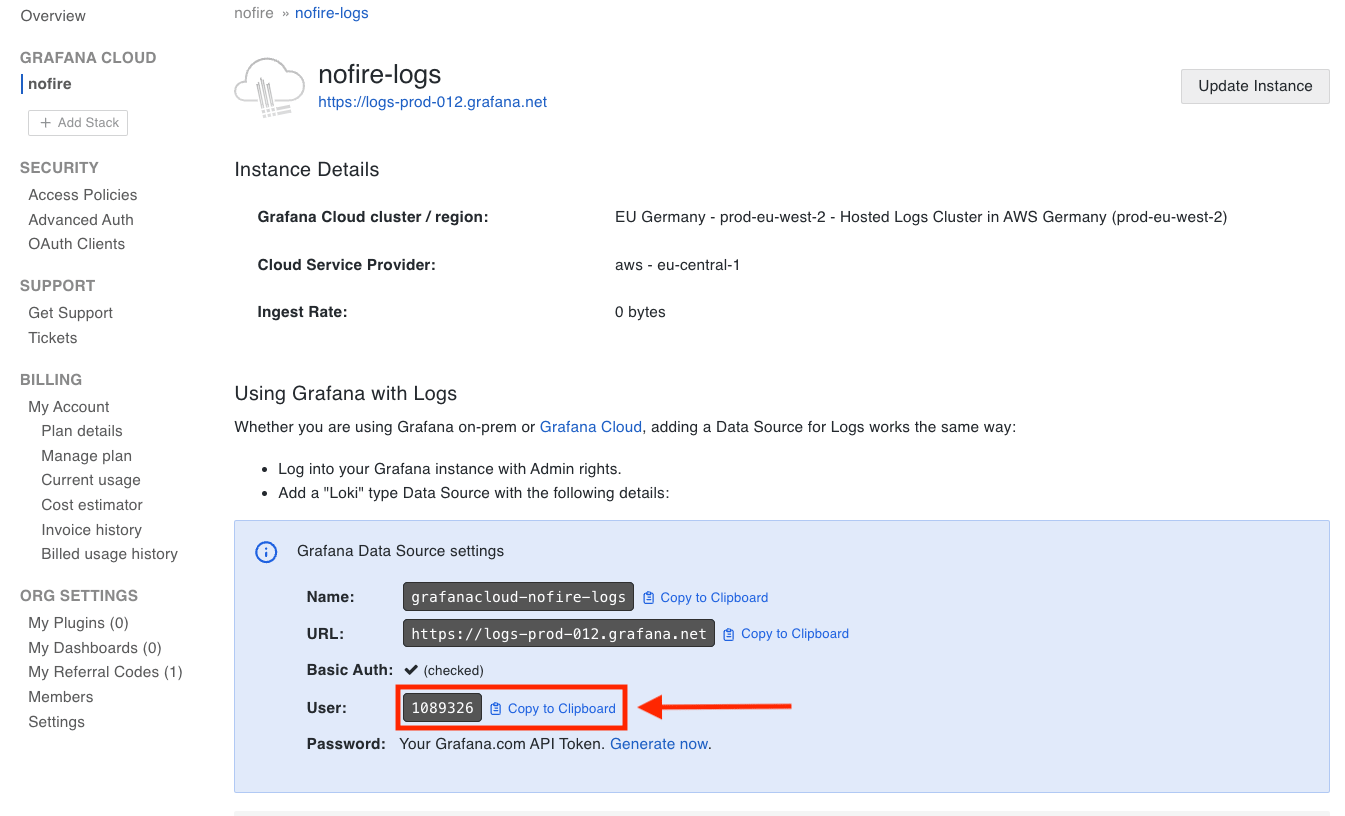
Copy to clipboard: The User and keep it in a note.
-
Create a Cloud Access Policy for your stack, with
traces:readscope only.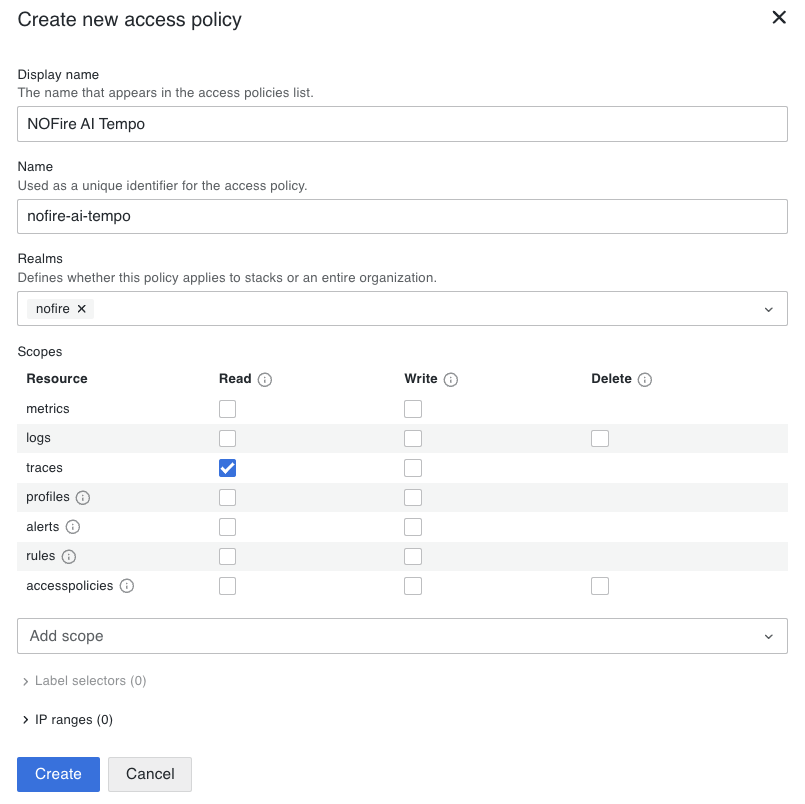
-
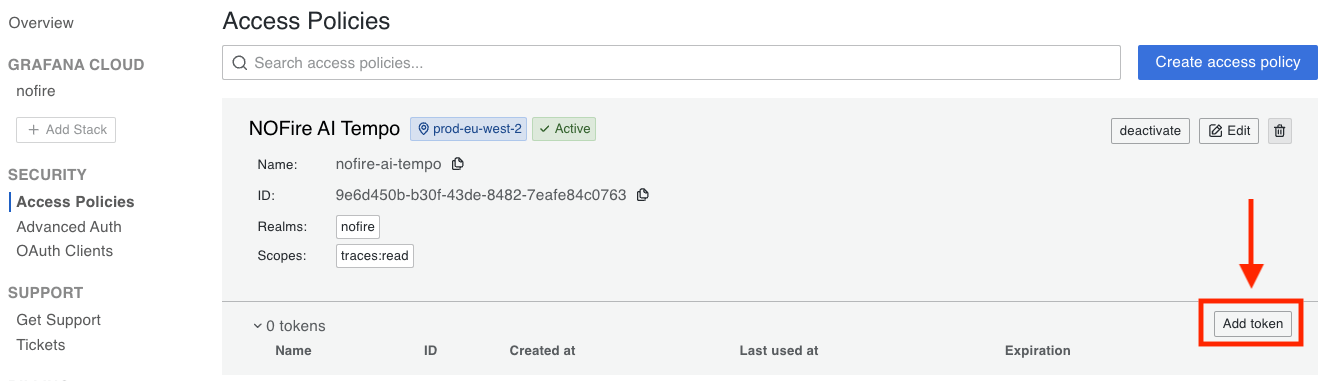
Add a token to this newly created access policy.
-
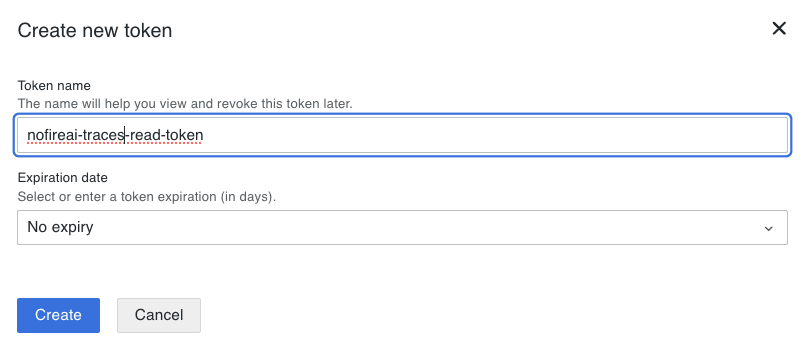
Set a name and an expiration date: Use your preference, then generate the token.
Step 2: Add a Tempo connection to NOFire AI
-
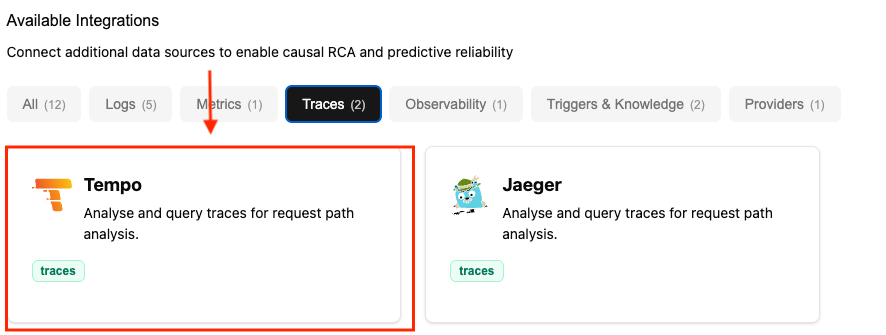
Go to Connections and click Connect on Tempo.
-
Enter Name (for example, production), the Tempo URL, and Username/Password (optional for on-prem, required for Grafana Cloud):
After the connection is made, NOFire AI reads your telemetry and adds it to the production map. Processing time depends on the size of your environment.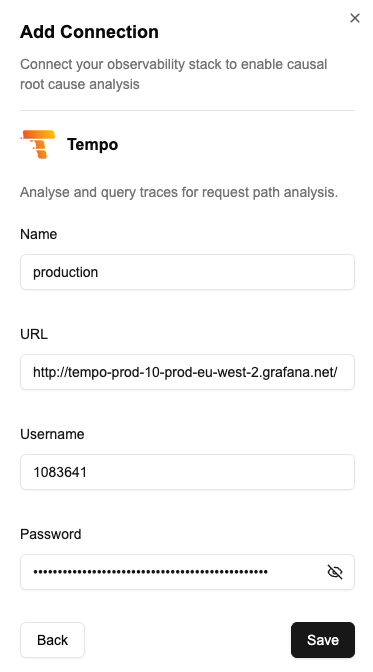
Test the connection
- Open the Connections dashboard and make sure that the Tempo connection status is READY. A connection that stays in an error state did not authenticate.
- Ask NOFire a question that needs traces, for example “show me the slowest traces for the checkout service in the last hour”. An answer that cites trace IDs confirms the connection works end to end.
Troubleshooting
The connection saves but returns no traces
The connection saves but returns no traces
The URL points at a different stack, or no traces reached Tempo in the window you asked about. Run the same query in Grafana against the same URL.