

Prerequisites
- A Slack workspace, and permission to install an app in it.
- The Slack channel that receives your alerts.
Step 1: Install the NOFire AI Slack bot
Open Connections
Open Connections
-
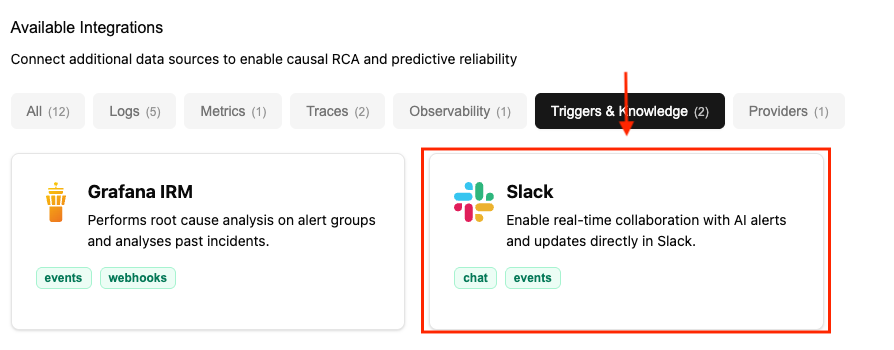
Open Connections and click Connect on Slack.
-
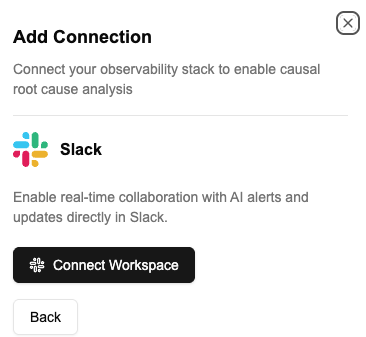
Click Connect workspace to start the installation.
-
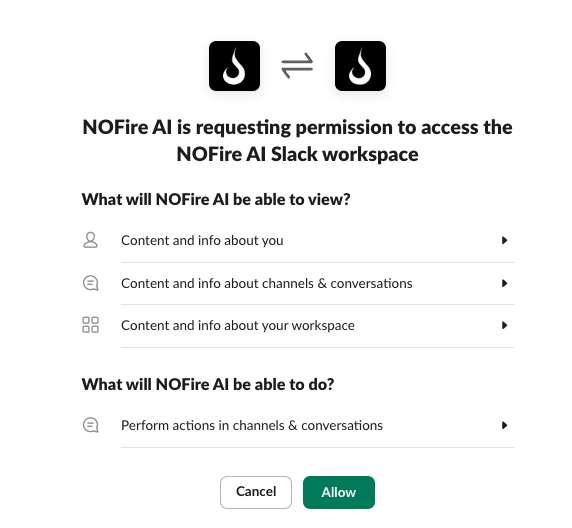
Allow the installation on the Slack authorization page.
-
Open the Slack channel that receives your alerts and type
/invite @NOFire AI.
Test the connection
- In the alert channel, type
@NOFire AI are you there?. A reply confirms the bot is installed and can read the channel. - Open Connections and make sure that the Slack connection shows Connected.
Troubleshooting
The bot does not answer in the channel
The bot does not answer in the channel
The bot is not a member of that channel. Run
/invite @NOFire AI in the channel.